- DATE:
- AUTHOR:
- The Krisp team
Krisp 2.80.11 Call Center AI Updates
This release brings new Accent Conversion models for both sides of the call and a new way for agents to spell names and numbers during translated calls. Admins also gain control over recent call tabs in the Widget and a debug mode for faster Deepfake Detection troubleshooting. Let's take a closer look.
Feature updates and key enhancements
More natural Accent Conversion on both sides of the call: New agent Accent Conversion models for Indian, South African, and Latin American accents, along with a new customer Accent Conversion model, significantly improve naturalness, voice preservation, and speech clarity. Conversations are easier to follow, and each speaker's voice remains more consistent throughout the call.
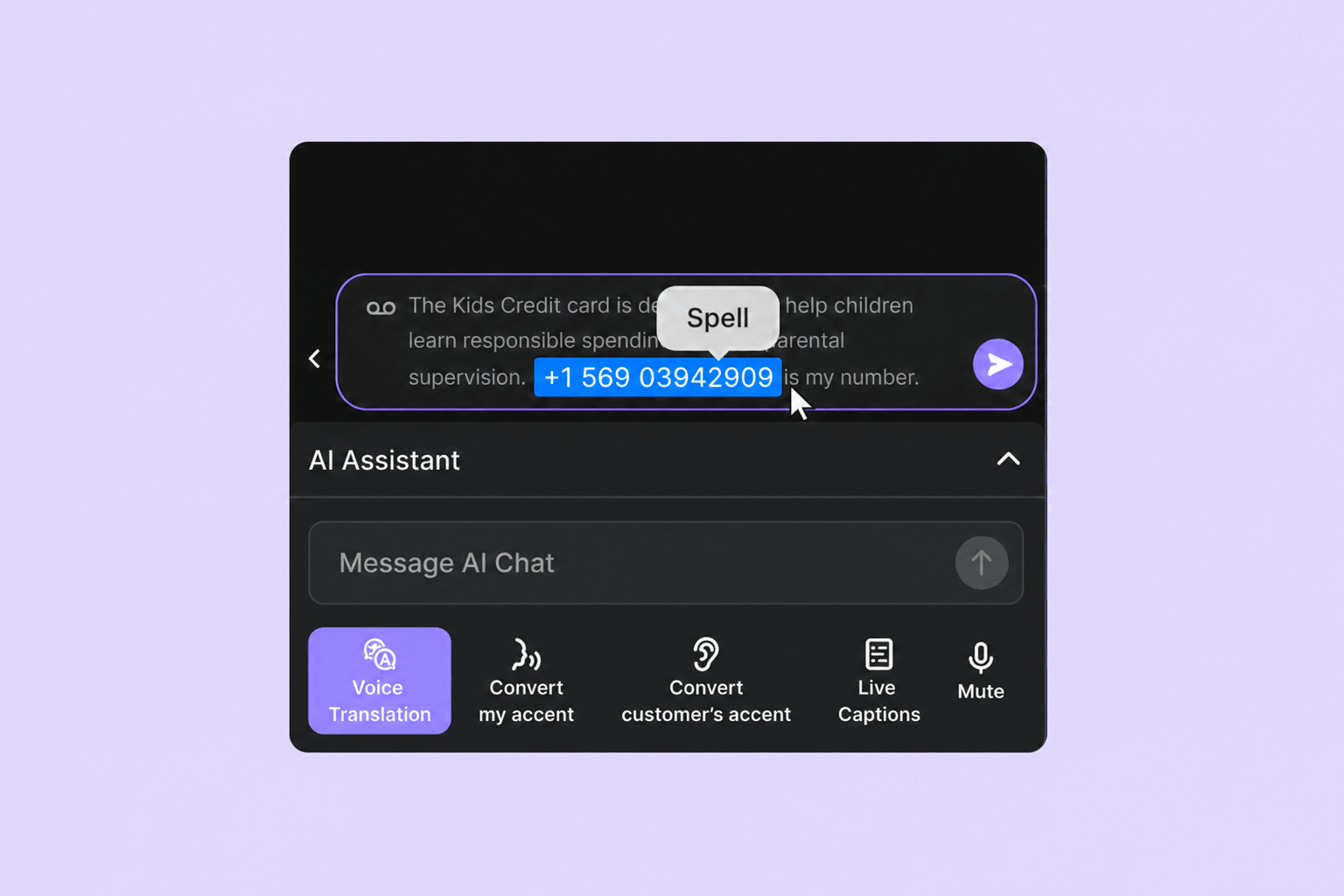
Spell anything in the customer’s language: During translated calls, agents can write names, phone numbers, booking references, or other text into the Quick Phrase box, highlight it, and have Krisp spell it out in customers language. This helps important details land the first time. Spell supports up to 30 characters, is on by default, and can be turned off in Voice Translation settings.
Admin control over recent call tabs in the Widget: Admins decide how many recent Voice Translation and Agent Assist calls remain available to agents, with a maximum of four. Voice Translation teams can also clear the history after every call. This helps teams control what stays visible after calls in line with their customer data policies. The setting sits in the Call Content tab in Team Settings.
Faster troubleshooting for Deepfake Detection: Admins can now turn on a debug mode that adds the analyzed deepfake audio to agents' problem reports, so cases get resolved faster. The setting is off by default, and the audio stays encrypted on the agent's own device until a report is sent. Admins can turn this on in the Deepfake Detection settings.
Bug fixes
Reliable incoming call tone: In certain scenarios the incoming call tone could be missed at the start of a call. This is now fixed, and the tone reaches the agent on every call. Admins can request this for their contact center through their Customer Experience Manager.
Complete Speech Analytics recordings: For teams with PII redaction enabled and Agent Assist off, call recordings are now stored more reliably and available in Speech Analytics.
Voice Security through device changes: Deepfake Detection now keeps running throughout the call, even if the agent's speaker device changes mid-call.
More accurate speaker reminders: At the start of a call, agents could briefly see a reminder to select Krisp Speaker even when it was already in use. The reminder now appears only when they need to select it.
Clear Widget actions: Translation rating options and the Suggest Term action could be difficult to read in certain Widget states. Both are now clearly visible.