- DATE:
- AUTHOR:
- The Krisp team
Krisp 2.77.5 Call Center AI Updates
This release brings significant improvements across Voice Translation, Agent Assist, Speech Analytics, and throughout the agent and admin experience. From automatic call dispositions and customer voice change detection to a lighter Krisp app, these updates reduce manual work for agents, strengthen data accuracy for reporting, and give admins the visibility and control they need to manage teams with confidence.
Feature updates and key enhancements
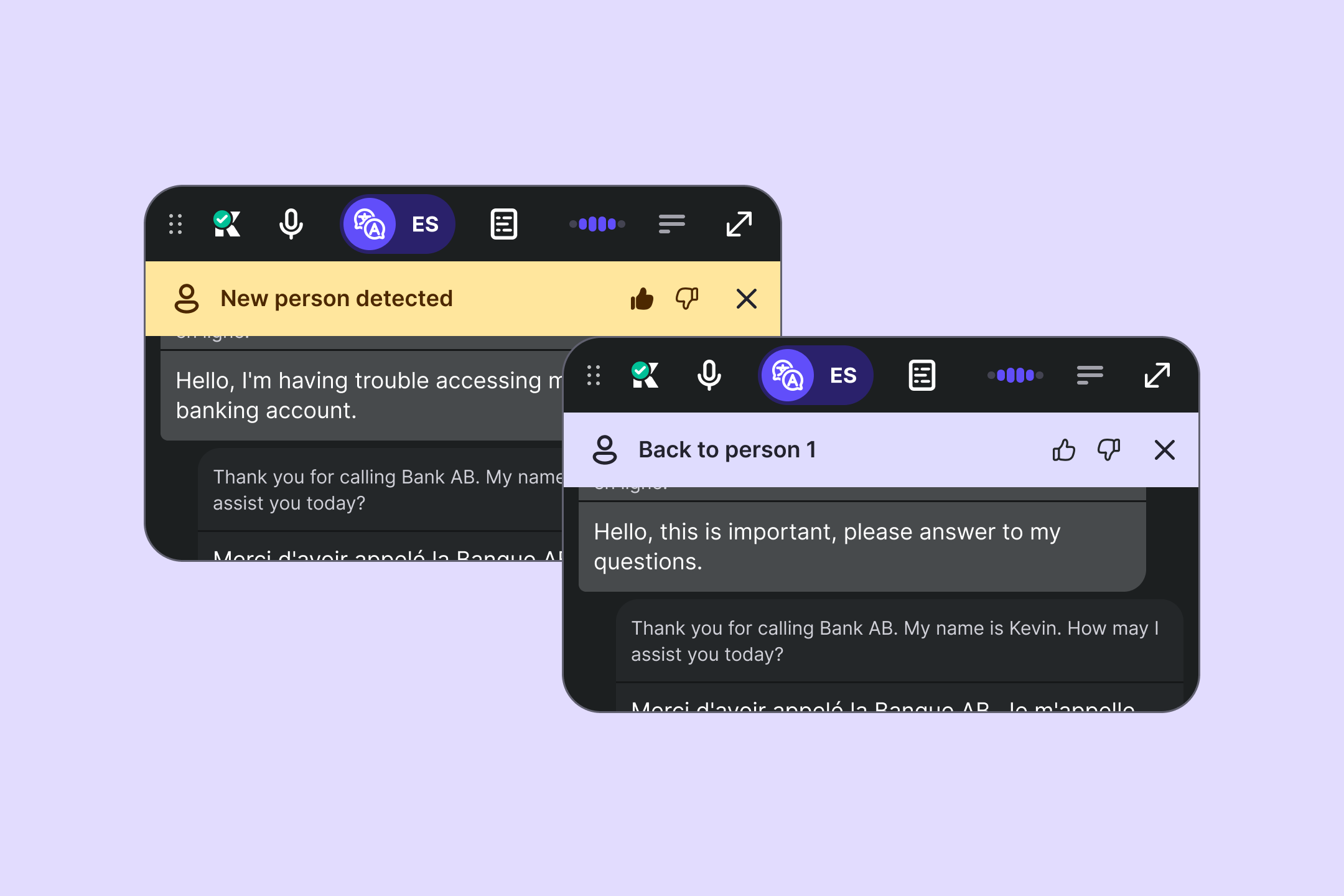
Customer voice change detection in Voice Translation: When Voice Translation is active, Krisp now detects when a different person starts speaking on the customer side and shows a "New person detected" warning, so agents can complete the authorization or apply the correct script. Krisp will also notify when the original speaker returns to help agents with detecting the handoff. Notifications auto-dismiss and agents can provide quick feedback on detection accuracy.
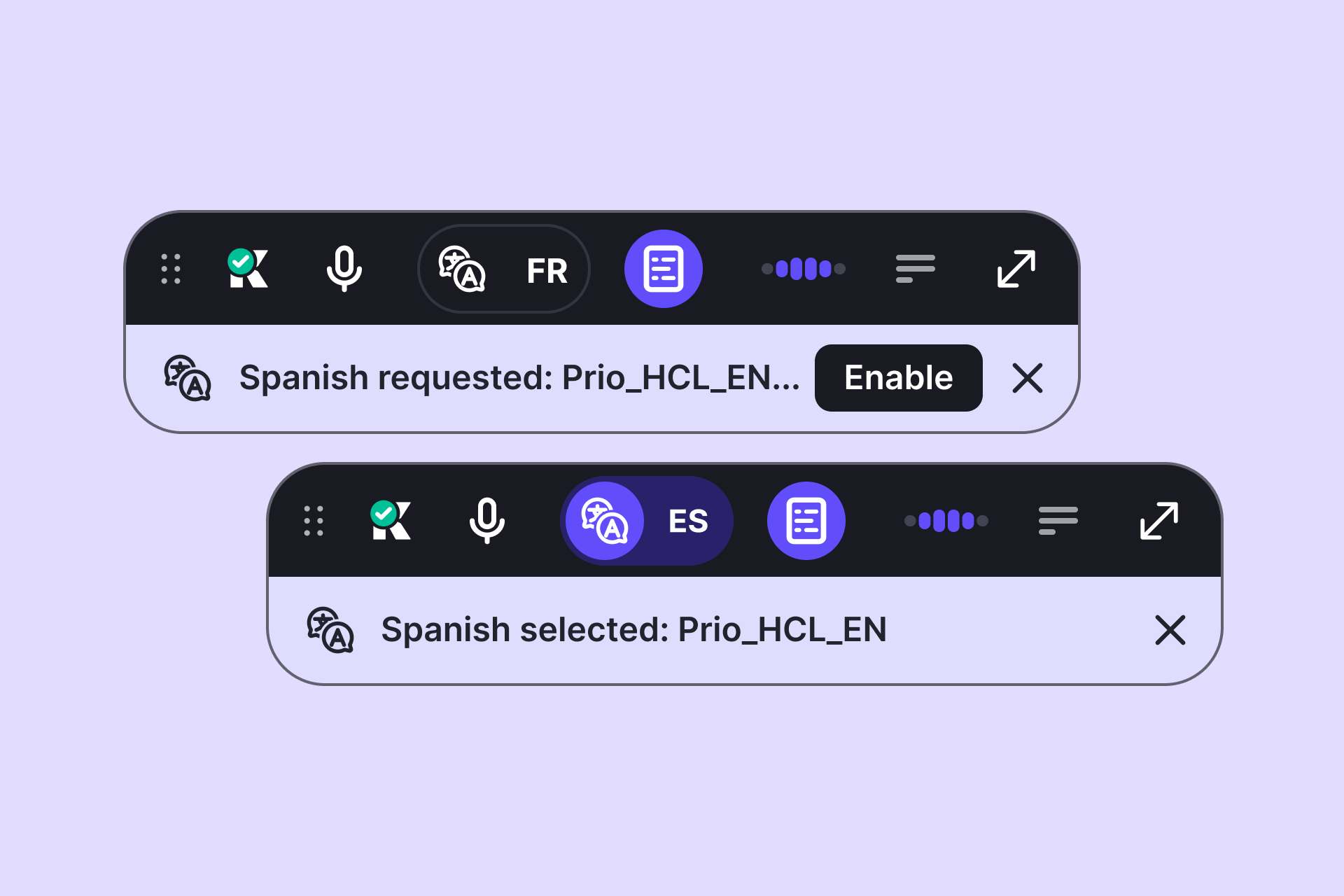
Voice Translation language auto-selection: For customers using Voice Translation along with Krisp CX Bridge, Voice Translation now picks the customer language automatically based on how the call is routed, so agents don't need to set it manually. This feature should be enabled by Admins in the admin portal.
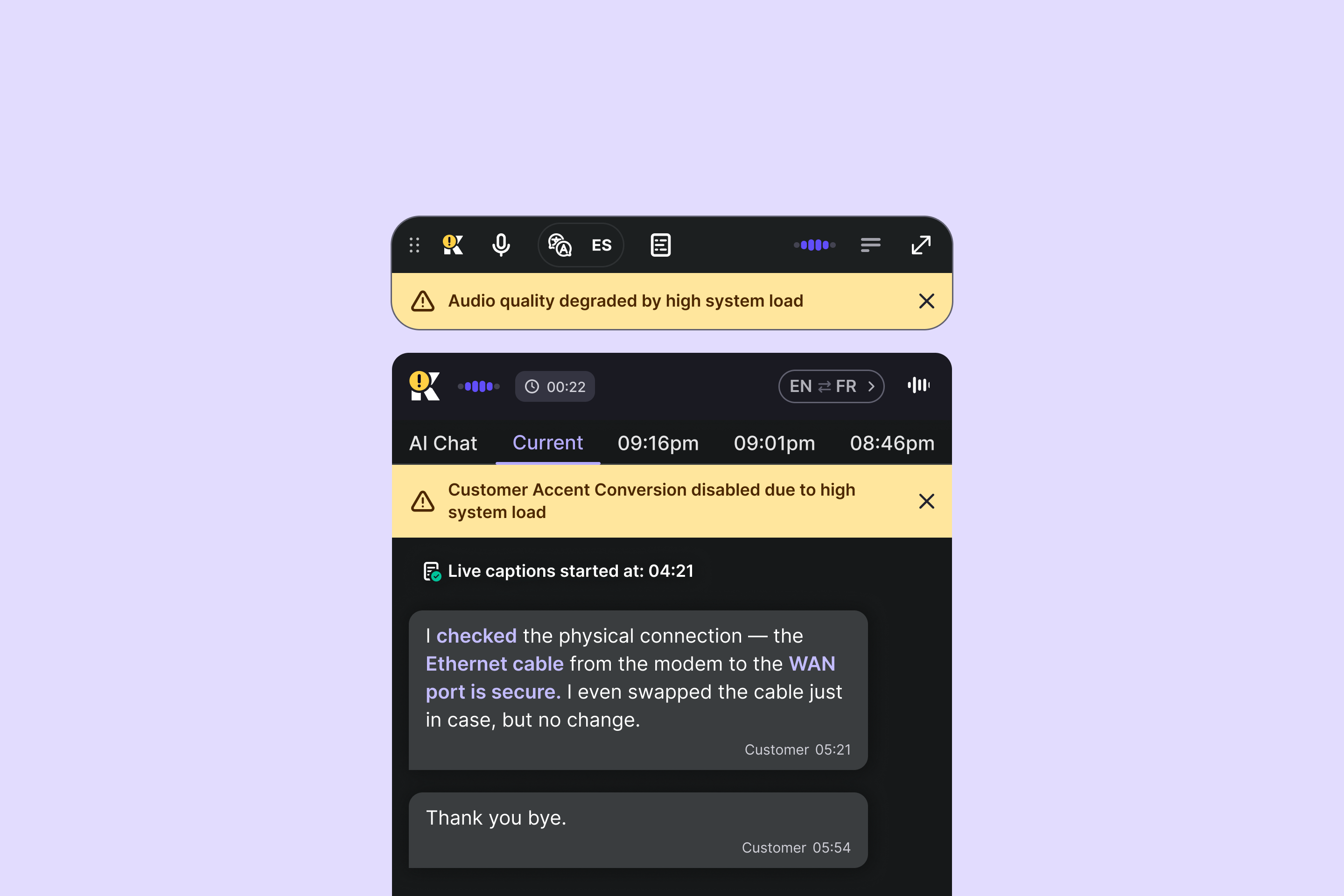
Audio quality alerts for agents: Krisp now monitors microphone processing in real time and alerts agents when audio quality consistently degrades during a call. This way, they can quickly escalate to their supervisor and address the issue before it affects the customer experience. The feature is admin-configurable.
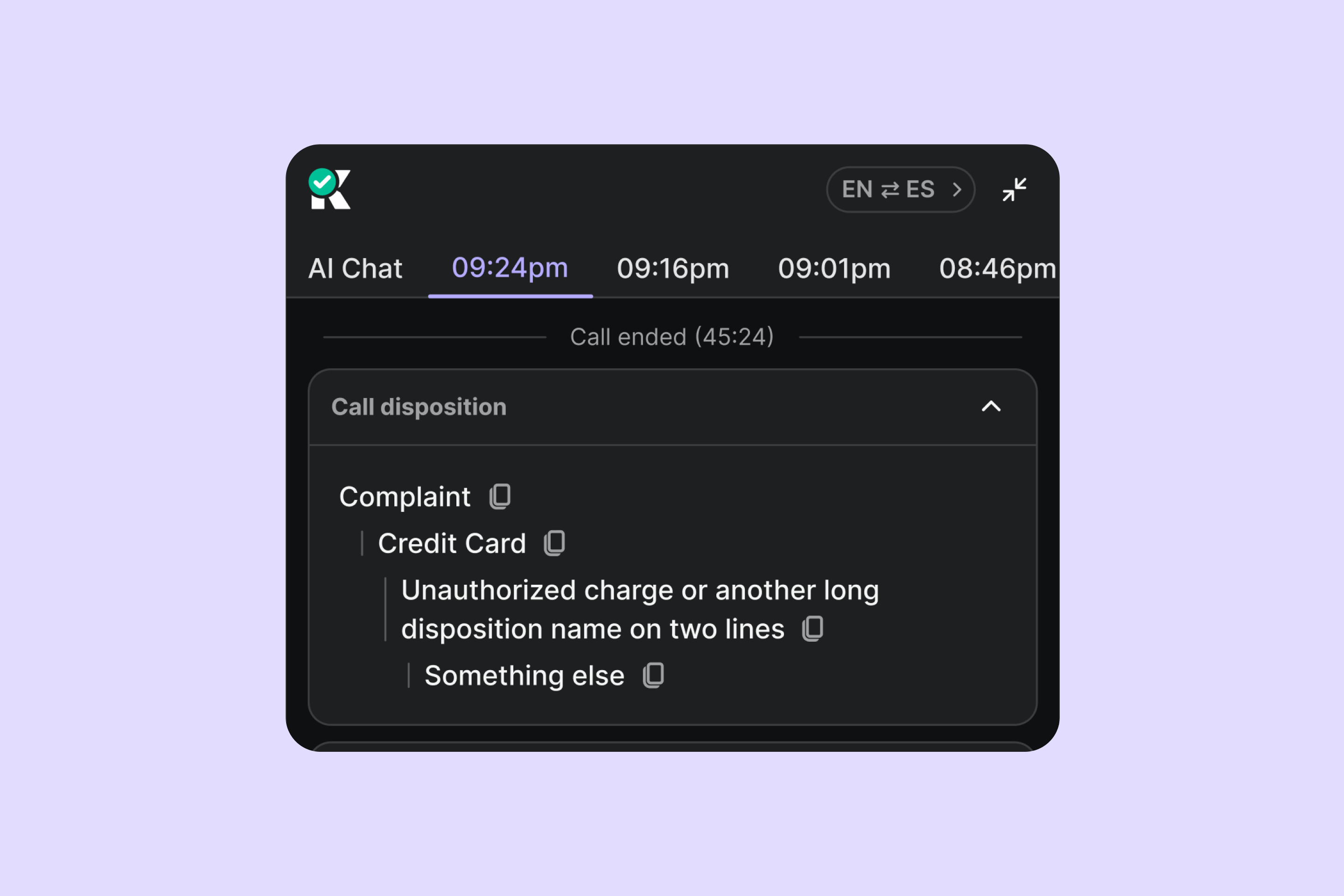
Call dispositions in Agent Assist: Krisp now categorizes each call automatically in the After-call Summary, so agents skip manual searching and selecting correct dispositions while closing the interaction. Dispositions can include up to four levels, broad to specific (e.g., Support → Technical → Login issue → Password reset), and are also sent to Speech Analytics for consistent reporting. Admins configure and customize them from the admin portal.
Smaller installer size for faster enterprise rollouts: We reduced the size of the Krisp installer, enabling quicker installs and updates, and lower deployment overhead across large teams.
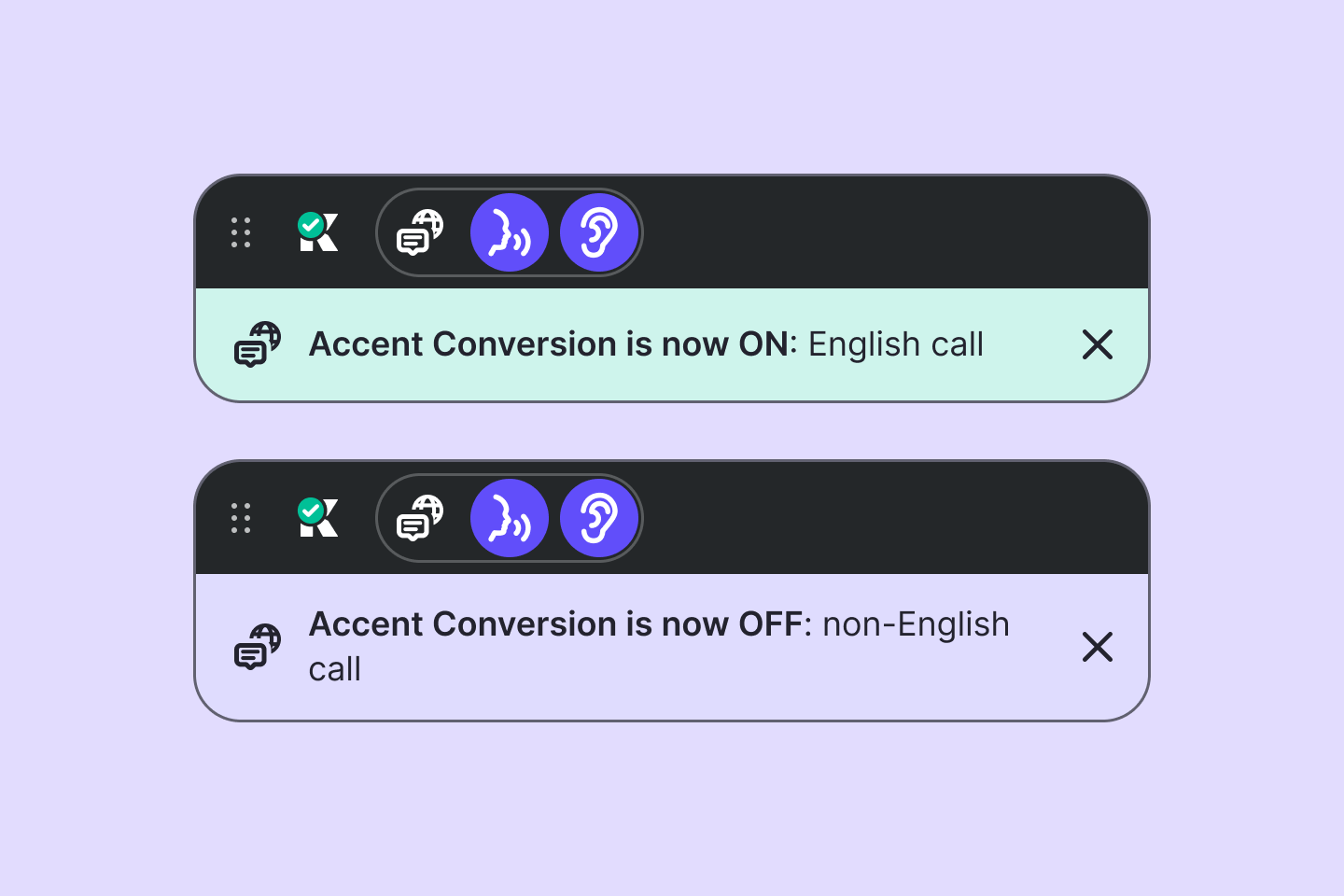
More visible Accent Conversion auto-switch notification: The AC auto-switch notification now stays on screen until manually dismissed, so agents never miss a state change mid-call.
Smoother recovery for Voice Translation and Live Captions: Both features are now better at recovering when something goes wrong. If a connection drops mid-call, the system tries to reconnect on its own so agents can keep going without disruption. If a feature can't start, agents see a retry option immediately.
Client names in Voice Translation usage and billing reports: When client tracking is enabled, each Voice Translation session now records the matching client name alongside the entered code, so reports map cleanly to the correct client without manual lookups.
CX Bridge connection visibility in Live Monitoring: Admins can now use Live Monitoring to detect cases where Krisp CX Bridge isn't installed or connected, with a clear "No connection with Bridge" indicator that makes setup issues immediately visible.
Bug fixes
Accurate trial-minute enforcement for Voice Translation: Voice Translation no longer remains available once a trial team has exceeded its allotted minutes, and the in-app message now correctly explains the situation.
Consistent Live Captions across Widget states: Live Captions transcription now displays consistently across both expanded and collapsed Widget views, keeping captions visible to agents at all times.
Improved collapsed Widget stability and interaction: Collapsed Widget now stays on screen in Noise Cancellation-only mode and no longer creates a click-blocking area underneath it.
A more stable, reliable app: Krisp now runs more reliably through extended sessions, starts up more dependably, and reports device status to Live Monitoring in the admin portal more consistently.
Aligned timing across Speech Analytics, Live Captions, and Voice Translation: Speech recognition now starts only when both the Krisp microphone and Krisp speaker are selected, and pauses if either is deselected mid-call. This keeps transcripts and timings consistent across features that rely on captured audio.