- DATE:
- AUTHOR:
- The Krisp team
Krisp 3.8.2 AI Meeting Assistant Updates
This release brings powerful new ways to stay organized, keep your team informed, and make meetings smoother. From saving meetings to review later, to clearer consent notifications, to a more transparent Meeting Bot experience, we’ve focused on giving you more clarity and control.
New features and improvements
Save meetings to revisit later: We’ve added a new Later tab that makes it easy to save meetings you want to come back to. You can save meetings, track your progress with indicators, and mark items as done when you’re finished.

Automatic recording consent with audio prompt: When Note taker is on and automatic participant notifications are enabled, Krisp will now play a short audio prompt to inform everyone that the meeting is being recorded.
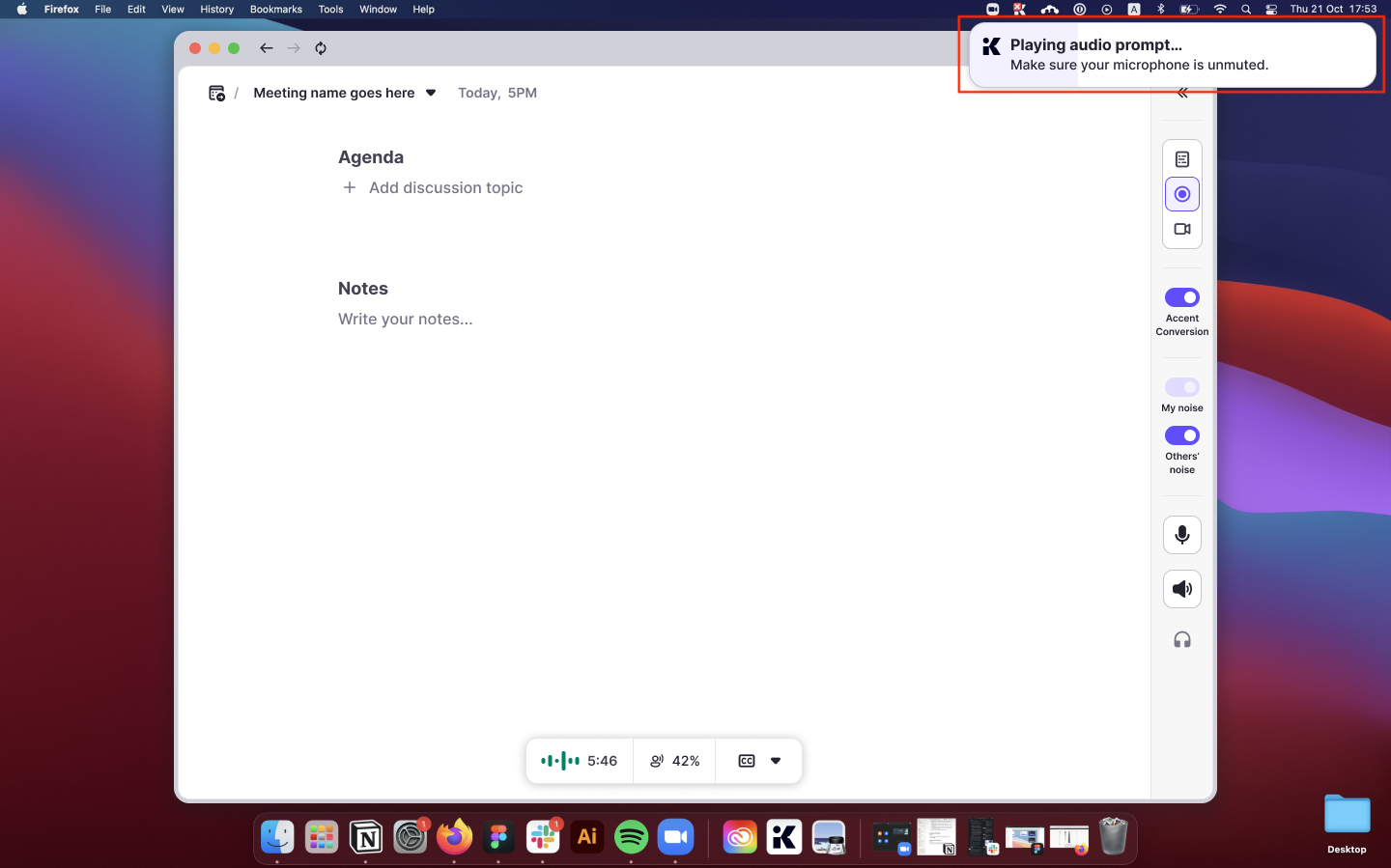
Chat notification behavior when accessibility isn’t granted: If you try to enable chat notifications for Zoom, Meets or Teams without granting accessibility access, Krisp will now prompt you to approve the required permission. If access is denied, we’ll switch to an audio prompt instead of sending a chat message.
Chat notification support expanded to Google Meet: The chat notification that previously worked in Teams and Zoom now works in Google Meet as well. Krisp will send an automatic message to participants in both Teams, Zoom and Meet, keeping everyone informed and aligned with consent requirements.
Ending support for older macOS versions: With the upcoming macOS 26 Tahoe release, we’re preparing to discontinue support for macOS 13 Ventura and earlier. Users on older systems can continue using Krisp, but new features and updates will target newer macOS releases.
One-click removal for the Krisp Meeting Bot: When the bot joins Zoom, Teams, or Google Meet, it now shares a one-click link in the chat that lets participants remove the bot instantly if they don’t want the meeting recorded

Copy ready-to-share meeting minutes in one click: You can now use the new Copy Meeting Minutes option in the menu to grab a clean, structured meeting summary with the meeting title, date, attendees, key points, action items, and outline.

Bug fixes
More reliable uploads on proxy-restricted enterprise networks: We’ve made Krisp smarter at handling strict or unpredictable proxy settings. If your network blocks our main connection, Krisp now automatically switches to a more reliable fallback so your recordings upload smoothly.