- DATE:
- AUTHOR:
- The Krisp team
Web updates for April 1-10: Call Center AI
Clearer insights, more consistent conversations, and greater control for teams. This batch of updates gives admins sharper tools to review calls and manage teams more efficiently. Here's what's new!
Feature updates and key enhancements
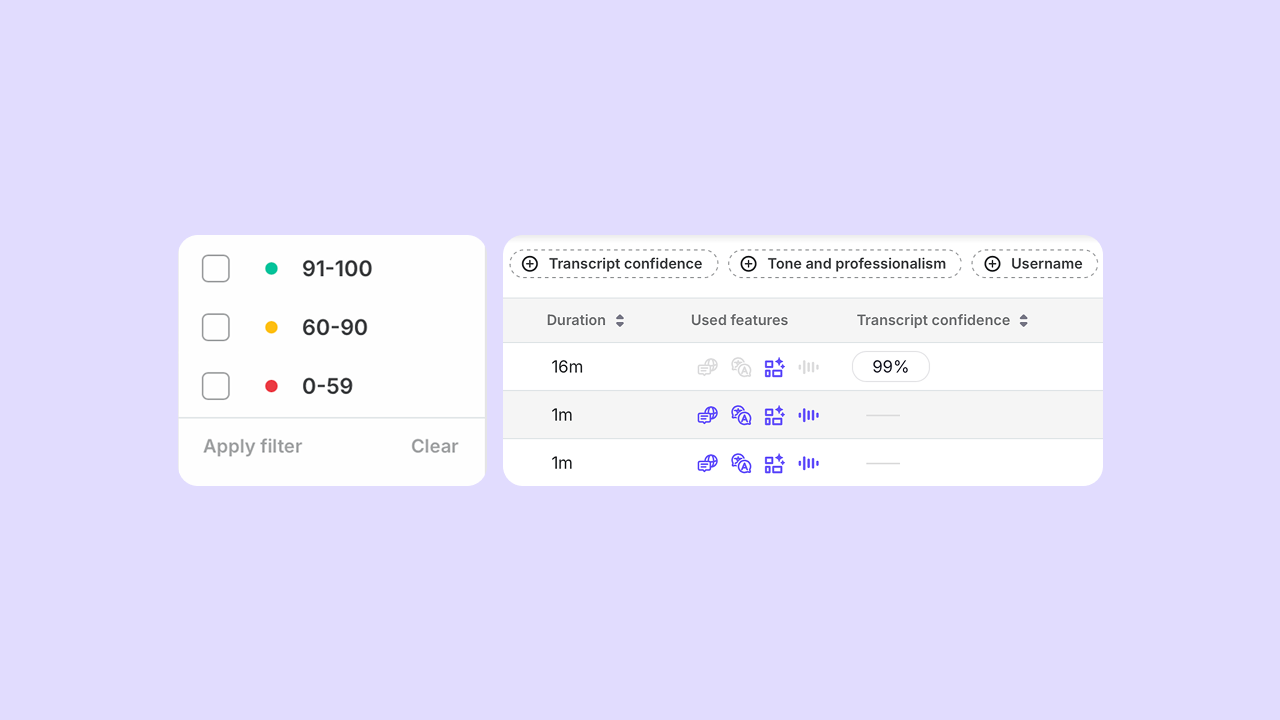
Transcript confidence scores in Speech Analytics: Admins can now see a confidence score for each transcribed call, with color-coded indicators and filtering options. Low scores can signal calls where audio conditions were challenging, such as an unsupported headset or features not enabled as intended, making it easier to identify where a closer review is required before making coaching decisions.
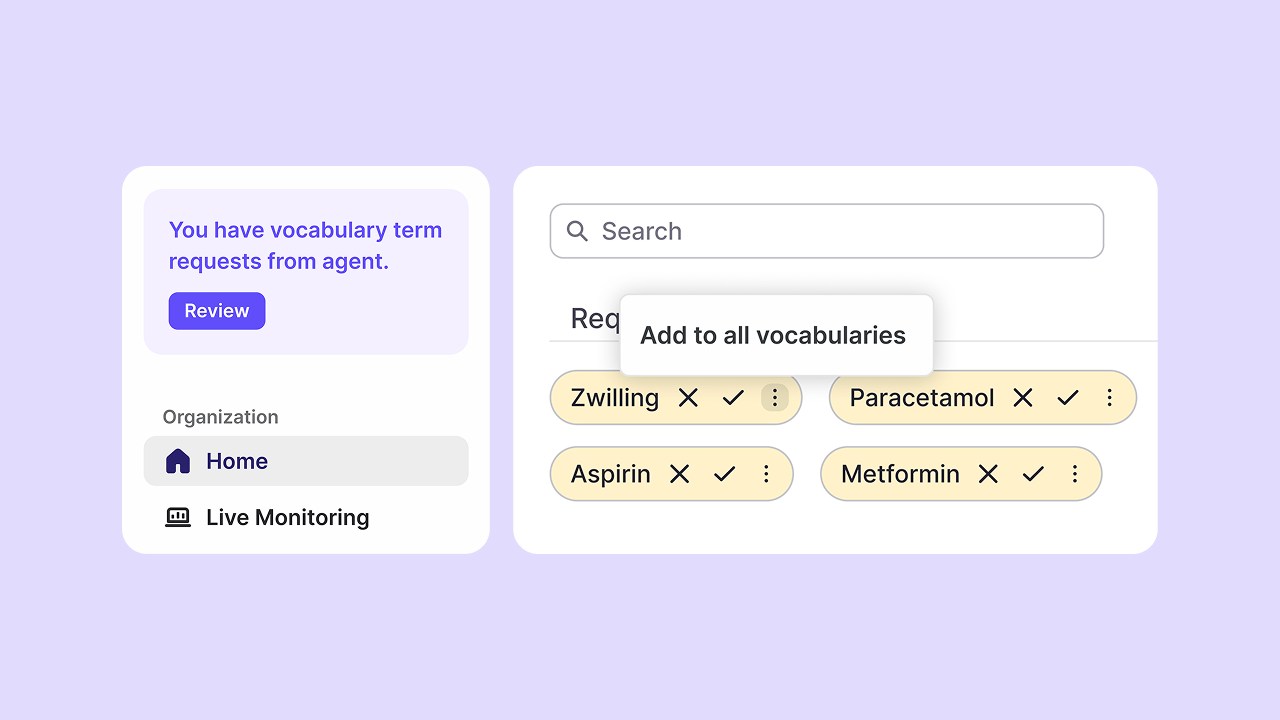
Admin notifications for agent vocabulary suggestions: Admins can now receive notifications when agents submit vocabulary suggestions during translated calls. Requests can be reviewed, approved, or rejected with full visibility, making it easier to stay on top of updates and improve transcription accuracy for their conversations.
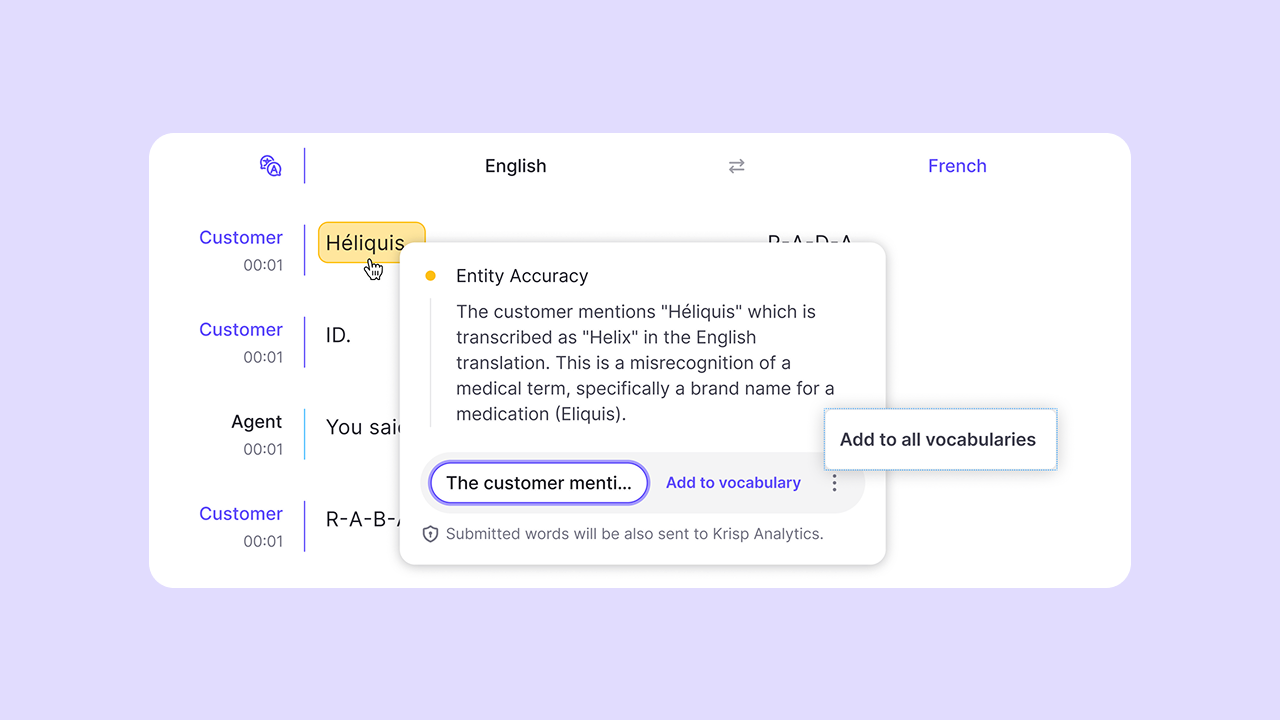
Automated vocabulary suggestions in Voice Translation AutoQA: During call evaluation, AutoQA now automatically surfaces terms that can improve translation accuracy. Admins can review them and apply the terms to the team's vocabulary immediately, improving accuracy for the whole team.
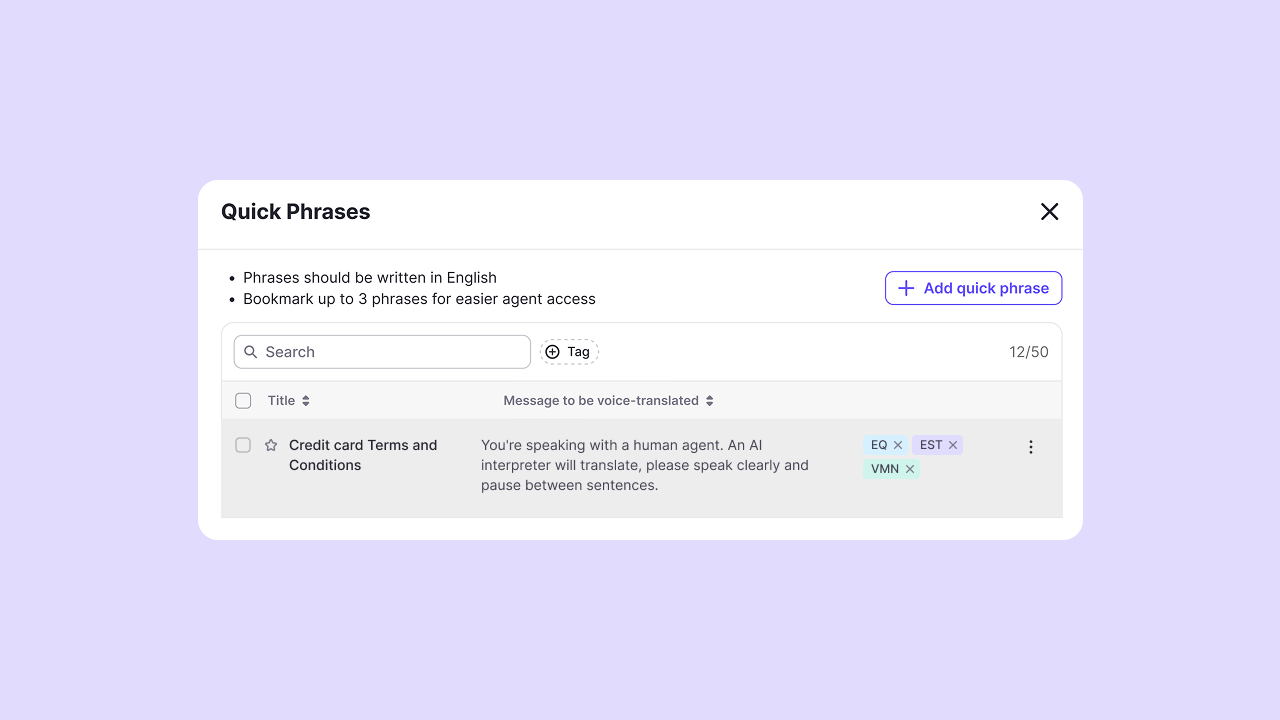
Quick Phrases for faster and more consistent conversations: Admins can now create frequently used phrases as templates for translated calls. Agents can edit and play them during calls in the customer's language, helping keep responses consistent and quickly deliver common messages.
Restricted calling apps for more control over feature usage: Admins can now define which calling apps are excluded from Krisp features like Voice Translation, Accent Conversion, or others. Calls from restricted apps, such as those used for internal or non-customer interactions, won't activate features, keeping analytics, billing, and Krisp usage focused on customer interactions.
Call hold visibility for more accurate insights: Admins can now see call hold activity directly in call details, with clear indicators in transcripts and recordings. This provides a more complete view of the call flow and improves evaluation accuracy.
Reorganize teams without disruption: Admins can now move devices and users between teams to manage feature and product access without manual reprovisioning. Assignments update automatically, so changes take effect right away.