- DATE:
- AUTHOR:
- The Krisp team
Web updates for August 10–16: Call Center AI
This batch of updates helps supervisors evaluate calls more accurately and fairly, and connect scores to the moments behind them. Voice Translation also makes it easier to keep skill mappings up to date and find languages faster in Custom Vocabulary. Here's what's new:
Speech Analytics
Get a more complete view with multiple scorecards: Teams can now evaluate the same call with several QA scorecards, covering a broader range of criteria. Call history and charts show the primary scorecard, while the Call details lists all scorecards with their scores and justifications.
Evaluate every call against the right criteria: Teams can define call types and choose which QA scorecards should run for each one. Krisp detects the call type from the conversation and automatically runs the corresponding QA scorecards. This means sales, support, cancellation, and other calls can each be evaluated against relevant criteria, making scoring more accurate and fair.
Unlike a disposition, which captures a call’s outcome, a call type describes what the conversation was about and is used to determine which QA scorecards Krisp applies. To set up call types and matching QA scorecards, contact your Krisp Customer Success Manager.
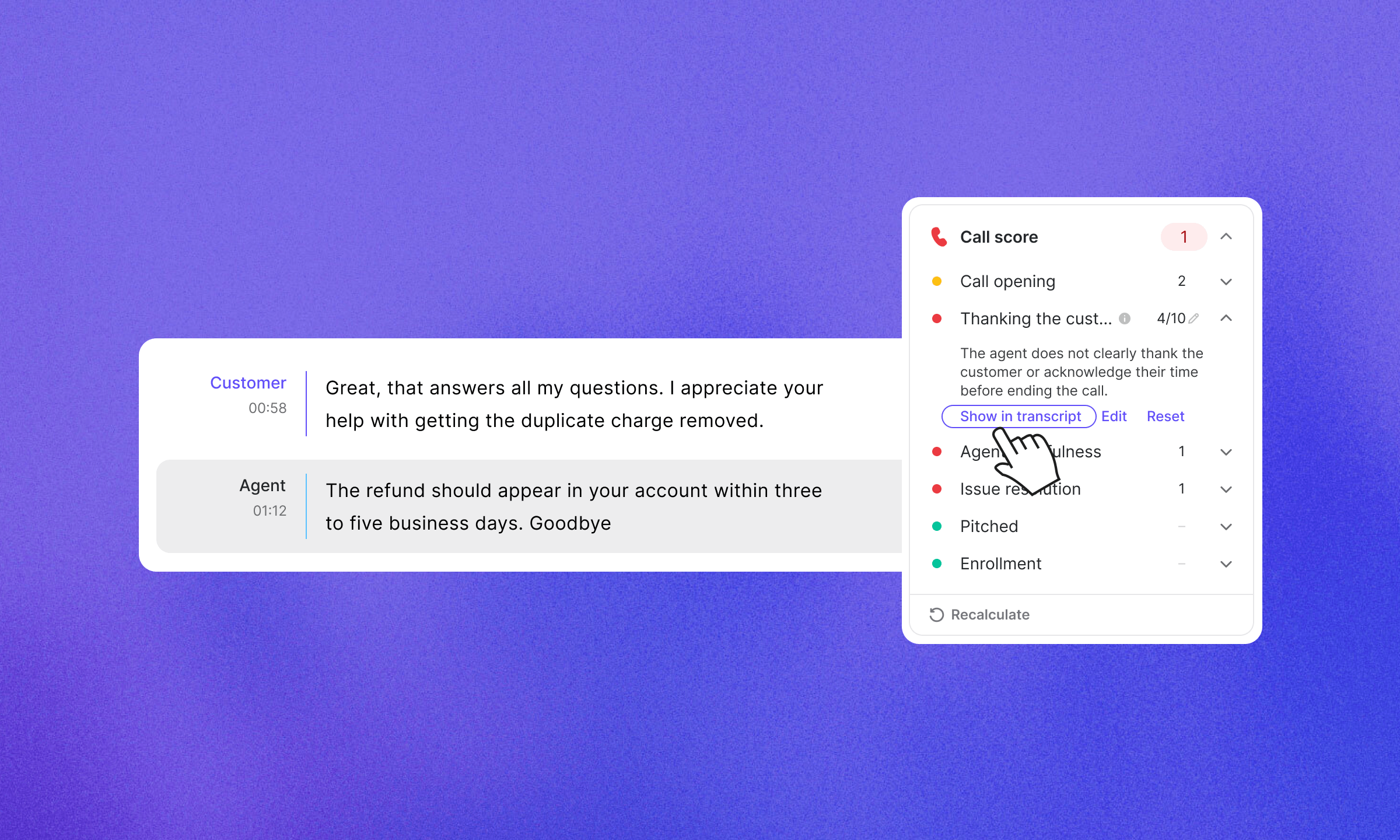
Jump from scores to the moments behind them: Reviewers can now select Show in transcript from scorecard and metric justifications. Krisp highlights the relevant part of the transcript and marks the same moments on the recording, so reviewers can see why a score was given and coach from the exact evidence behind it.
Voice Translation
Easily spot unmapped CCaaS skills: For teams using Krisp CX Bridge, skills detected on calls but not yet mapped now appear as suggestions in Skill mapping in VT settings. Admins can assign each one to the right translation language, so agents can start the call with the right language setup without a manual selection.
Find languages faster in Custom Vocabulary: Admins can now search for a language when creating a custom vocabulary instead of scrolling through the full list, making setup quicker and easier.
That’s it for this release. Subscribe to get future updates in your inbox so you never miss what’s new.