- DATE:
- AUTHOR:
- The Krisp team
Web updates for May 11–15: Call Center AI
This batch of updates brings major Voice Translation improvements — Quick Phrases management, automatic language selection, and Krisp Bridge on Edge browser— alongside automated call dispositions, public API access for custom reporting, and other platform enhancements.
Voice Translation updates
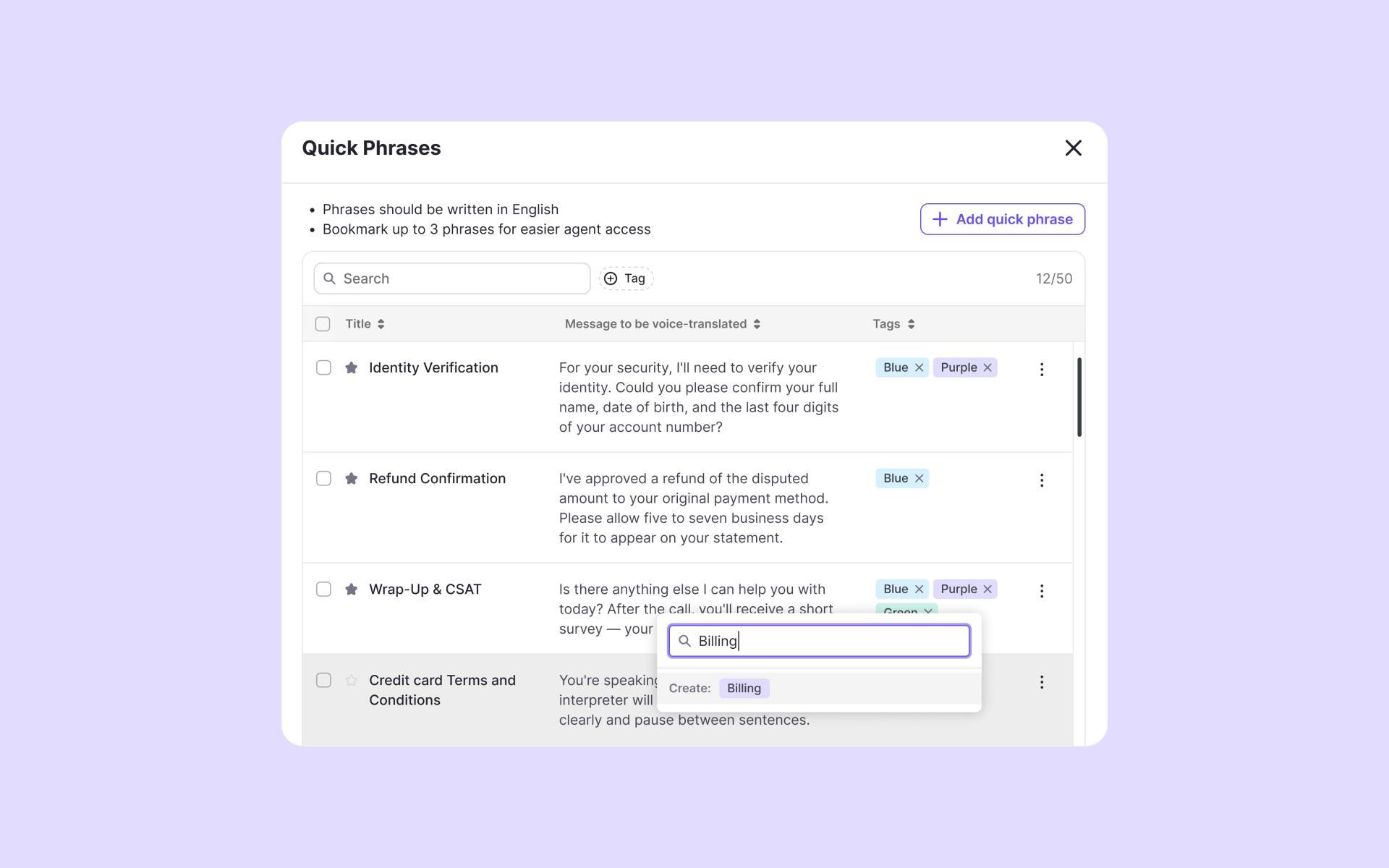
Custom tags for Quick Phrases: Admins can group Quick Phrases under custom tags keeping large phrase libraries manageable and easily filtrable. Each phrase supports multiple tags. Tags can be added from the table view or the Add/Edit windows, and renamed or deleted as needs change.
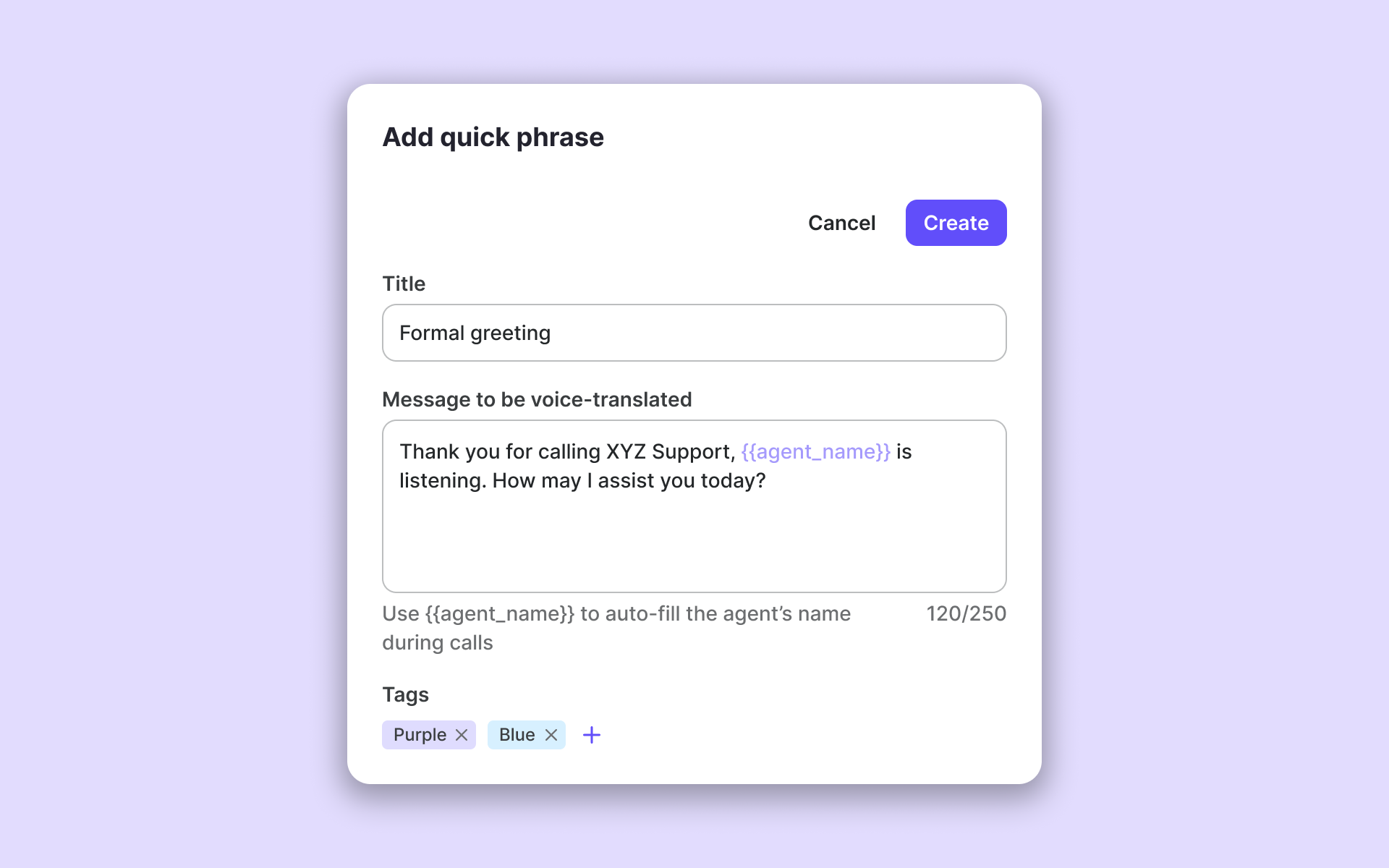
Automatic agent personalization: Quick Phrases now support an {{agent_name}} wildcard that resolves to each agent's name during the call. One team-wide phrase covers every agent personally with no need to maintain per-agent variants.
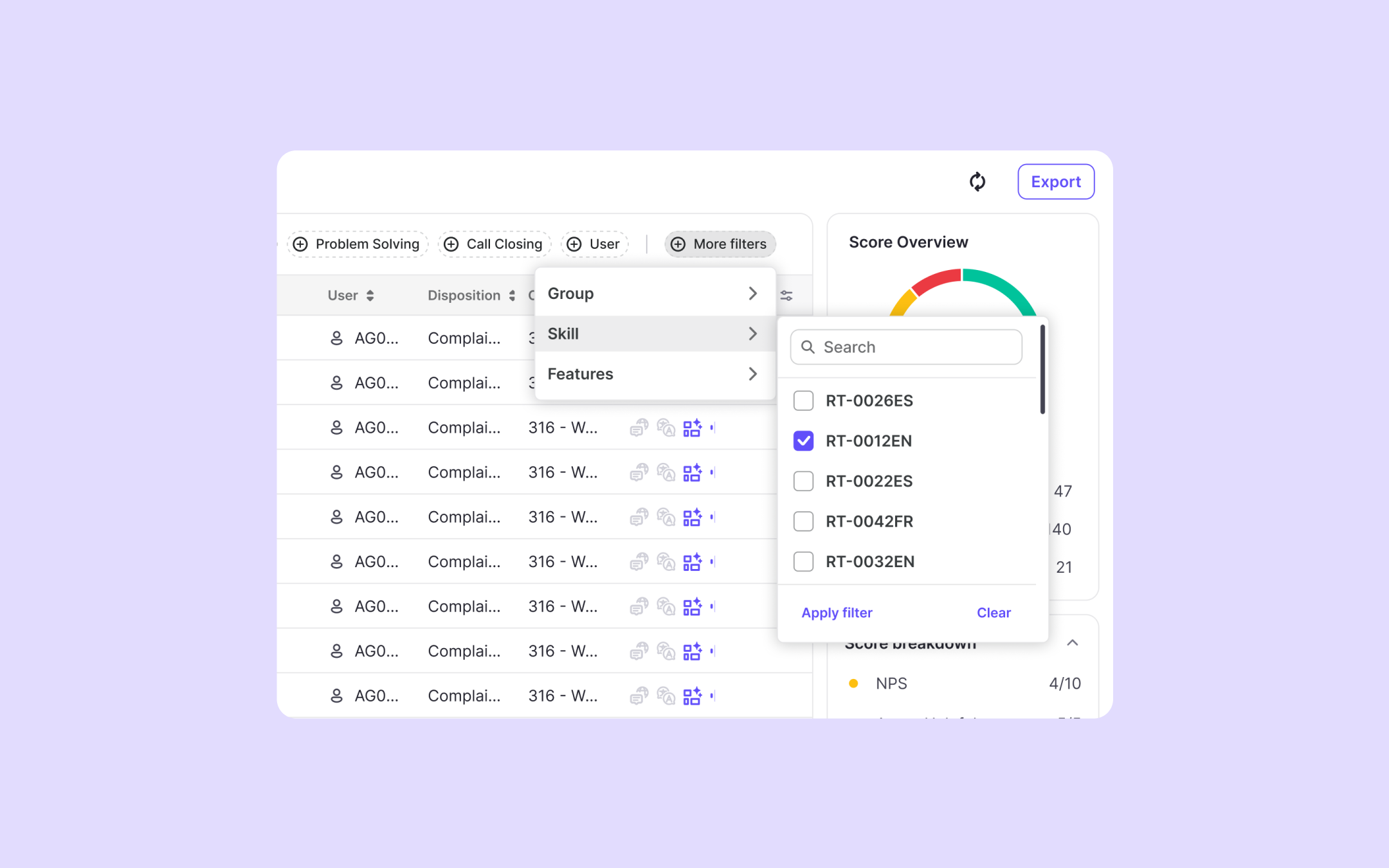
Language auto-selection and CCaaS skill visibility: Krisp now reads the call skill from the CCaaS and uses it to set the Voice Translation language automatically — no manual switching needed. Admins map skills to languages in Team Settings → Products → Voice Translation. The skill is also visible on the Call Details page and as a filterable column on the Calls tab, making it easy to run QA by skill and reconcile with CCaaS reporting.
Client tracking by name: The client name is now enough to track Voice Translation usage, so agents can select the right client on the widget more easily.
Other enhancements
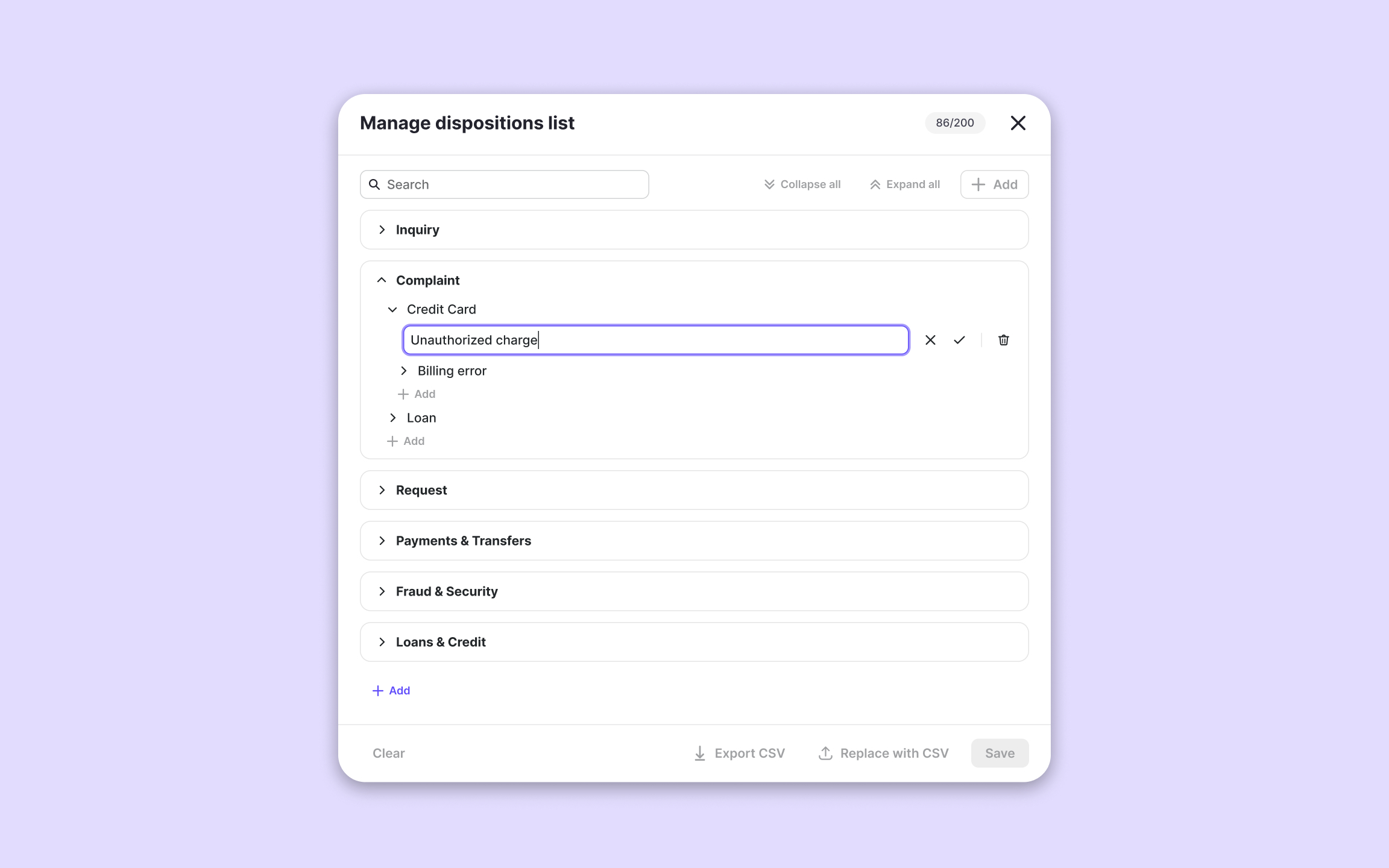
Automatic call dispositions: Every call can now be categorized by disposition automatically — no manual tagging needed. Admins define the taxonomy under Team Settings, and dispositions surface across the Calls page and Call Details as columns, filters, and charts. Admins can redefine any call's disposition and rate it thumbs up/down for accuracy feedback. Available for Agent Assist and Speech Analytics teams.
Krisp Bridge now available for Microsoft Edge: Krisp Bridge — the browser extension that enhances Krisp usage and enables more accurate call tracking through the CCaaS — is now available for Microsoft Edge in addition to Chrome.
Calling-app-only tracking for cleaner data: Krisp now ignores non-calling applications by default, so reporting only includes actual customer calls — no unnecessary traffic. Admins can toggle this from the Call Content tab. Requires Krisp Bridge browser extension to be enabled.
Call-level data in the public API: Per-call data is now available through the public API: Noise Cancellation, Voice Translation, and Accent Conversion usage, plus call duration and routing context. Pipe it into your BI tools, dashboards, or QA workflows for coaching, billing, and operational reporting. Full docs on Postman.
Larger page sizes for Live Monitoring API: Responses now return up to 1,000 items per request, speeding up external dashboard syncs.
Bug fixes
Problem reports now route to the correct team: When agents submit a problem report from the desktop app, it reaches the recipient list configured for their own team — even in organizations with multiple device-based teams.
Reliable email change in the admin portal: The email change flow for admins now works correctly.
Cleaner transcript layout in Call Details: Transcripts with timestamps now display correctly within the transcript container.